

How to Redeem Your Gift Card

Tap "  Gift Card" on the top left
Gift Card" on the top left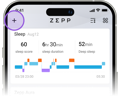

Go to the "  profile" page
profile" page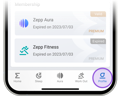

Bind your device inside the Zepp App
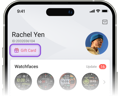

Then, tap the "  " icon in the top right corner of the page and enter your code
" icon in the top right corner of the page and enter your code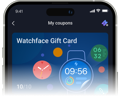

After your code has been accepted, you will be given a "voucher" on the next page. Click on the voucher to redeem your gift! If you find that your gift hasn't immediately taken effect, please close and restart the app.


